100 days to a cheapskates style christmas day 2
Day 2: Personalised Calendars
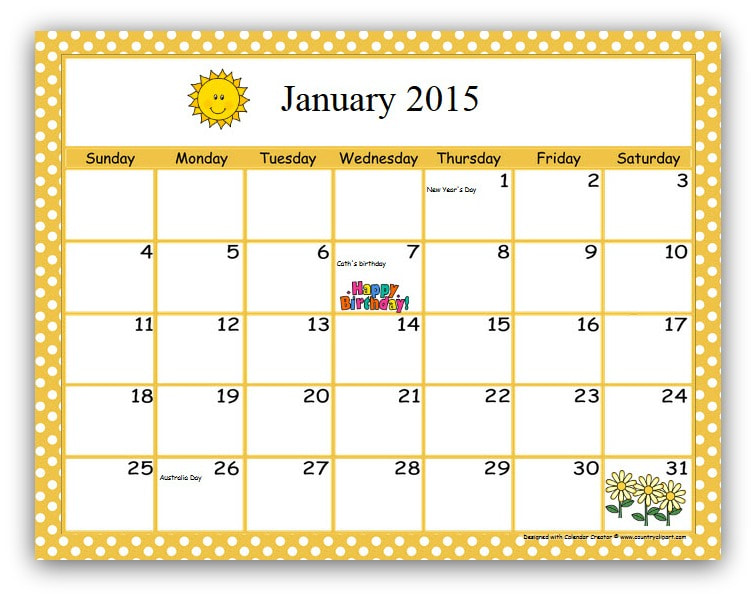
Personalised calendars are well, such a personal gift. You put time and thought into the layout, the embellishments, the format, how it's bound, what details you include on it. You can make it as personal or as generic as you like. You can include family photos or use clip art for decorating. You can choose the colours, the fonts and the backgrounds.
Calendars are so easy to personalise and even easier to make.
There are dozens of free calendars available online; a Google search will help you find the one that is just right for your gift.
Then go to town adding in important dates and reminders. I like to include:
Public holidays:
Anniversaries
Mother's and Father's Day (if applicable)
School holidays
Sporting calendar (if applicable)
Club meetings (if applicable i.e. CWA, Youth Group, Scouts etc.)
When it comes to decorating your calendar you are only limited by your imagination.
Decorate the blank side of calendar pages with pictures of friends and family members who have birthdays in the next month! Write the person's name on the appropriate date on the calendar.
Make a collage using pictures cut from magazines. Use pictures of items related to special days of the month or a special theme.
Draw a picture on the blank part of the calendar. Try to make it related to special events that month, birthdays, or a specific theme.
Find clip art for each month. Use your own graphics program to add the clip art to the blank calendar. You can also print out the clip art, cut it out, and glue it into place.
Use stickers to decorate the calendar pages.
Scan and then print your children's artwork onto the blank side of calendar pages.
When it comes to binding you can have your calendars professionally bound at any of the large stationers and some larger newsagents.
You can simply staple the pages together across the top (making sure the pages are level and square so the edges are smooth and even).
You could punch holes through all the pages and tie them together with string, raffia, cotton yarn or ribbon.
These calendars will cost you anything from 10 cents each if you use your computer to create, decorate and print them and bind them yourself to around $2.30 each if you use your computer to print and decorate and have them professionally bound; they certainly suit a Cheapskates style Christmas.
Calendars are so easy to personalise and even easier to make.
There are dozens of free calendars available online; a Google search will help you find the one that is just right for your gift.
Then go to town adding in important dates and reminders. I like to include:
Public holidays:
- New Year's Day
- Australia Day
- Labour Day
- Easter
- Queen's Birthday
- Christmas Day
- Any state specific public holidays i.e. Melbourne Cup Day, Show Day etc.
Anniversaries
Mother's and Father's Day (if applicable)
School holidays
Sporting calendar (if applicable)
Club meetings (if applicable i.e. CWA, Youth Group, Scouts etc.)
When it comes to decorating your calendar you are only limited by your imagination.
Decorate the blank side of calendar pages with pictures of friends and family members who have birthdays in the next month! Write the person's name on the appropriate date on the calendar.
Make a collage using pictures cut from magazines. Use pictures of items related to special days of the month or a special theme.
Draw a picture on the blank part of the calendar. Try to make it related to special events that month, birthdays, or a specific theme.
Find clip art for each month. Use your own graphics program to add the clip art to the blank calendar. You can also print out the clip art, cut it out, and glue it into place.
Use stickers to decorate the calendar pages.
Scan and then print your children's artwork onto the blank side of calendar pages.
When it comes to binding you can have your calendars professionally bound at any of the large stationers and some larger newsagents.
You can simply staple the pages together across the top (making sure the pages are level and square so the edges are smooth and even).
You could punch holes through all the pages and tie them together with string, raffia, cotton yarn or ribbon.
These calendars will cost you anything from 10 cents each if you use your computer to create, decorate and print them and bind them yourself to around $2.30 each if you use your computer to print and decorate and have them professionally bound; they certainly suit a Cheapskates style Christmas.
Related Articles |